Vocable
A voice-first vocabulary app — say a word you don't know, and it becomes a spaced-repetition flashcard seconds later.
Spaced repetition is one of the few study techniques that’s genuinely proven to work, and Anki is the gold standard for it — a great tool a lot of people rely on. The friction I wanted to remove isn’t in the reviewing; it’s in the capturing. Adding a card is still a handful of steps: switch apps, look the word up, copy the definition, fill in the fields, pick a deck. Those few seconds add up, and for a lot of people they’re enough to break the habit before it forms — and a word you never capture is a word you never learn.
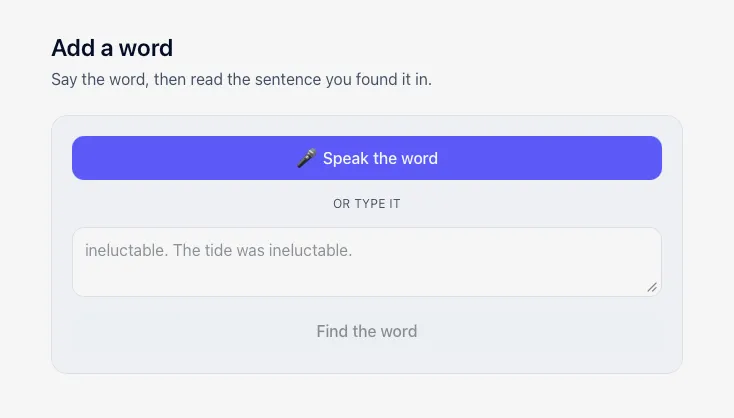
Vocable keeps the part that works — recalling a word from memory on a spaced schedule — and shrinks the capture step to almost nothing. You say a word, add the sentence you heard or read it in, and a few seconds later you have a flashcard.
The other thing I set out to fix was the definitions. Dictionary definitions are written for adults, and they’re often harder than the word they’re explaining — which defeats the point for a younger reader. So Vocable writes each definition to fit the person reading it. A kid’s account doesn’t get a dense dictionary entry; it gets a plain explanation pitched to how they actually read. Two people at different ages can look up the same word and each see it explained at their own level — “skeptical” might come back as “you don’t believe something is true until you see proof.” It’s built to work for kids, not adjusted for them afterward.
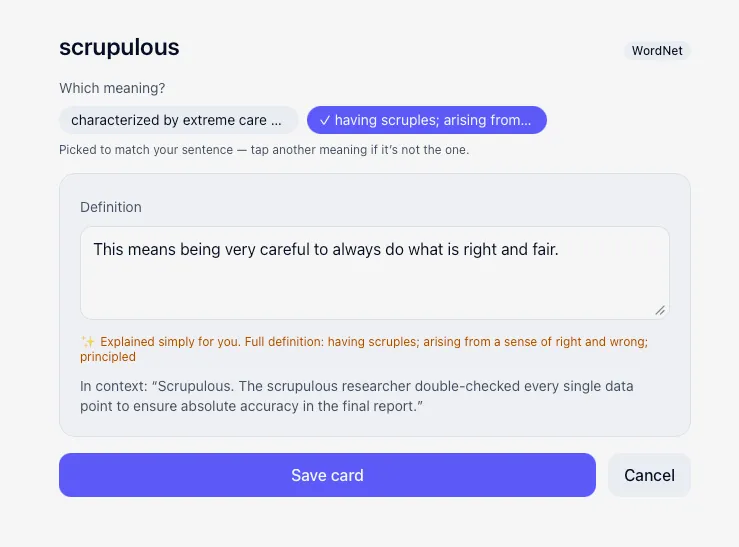
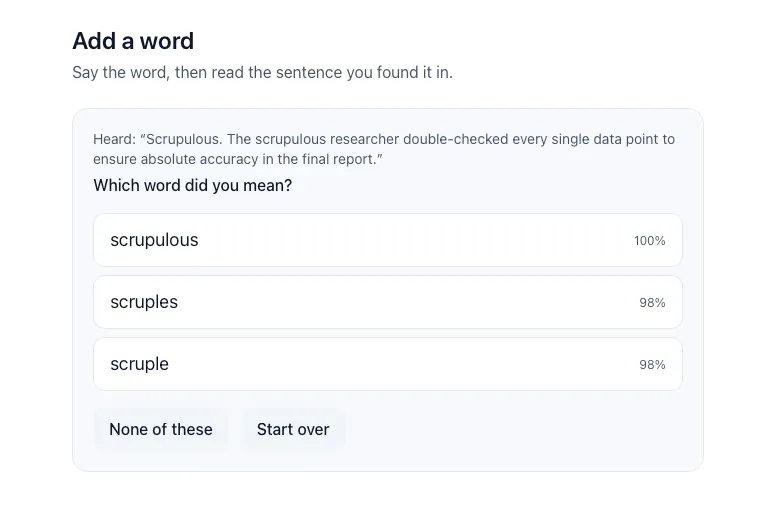
How it’s built — The interesting part was capture. Getting a word in isn’t really a speech-to-text problem — it’s a guessing problem. Speech recognition mishears rare words, especially ones you’ve only ever read and are now saying out loud for the first time. So rather than trust what it heard, Vocable matches the word against the dictionary by how it sounds rather than how it’s spelled, and offers you the three closest guesses to tap. The sentence you add does double duty: it narrows the guesses down, and it works out which meaning you wanted by comparing your sentence against each definition using embeddings — a way of turning language into numbers so a computer can tell which meanings sit closest.
From there the app handles the timing on its own, using a modern spaced-repetition algorithm (FSRS) — showing a word often at first, then stretching the gaps as it sticks. Reviews ask you to bring the meaning back from memory before showing you the answer, because recognising a definition isn’t the same as knowing the word. The whole loop runs on your own device, offline. In practice, the word you wanted is in the top three about 94% of the time.